
What Resize Means for You
When you create a server, you pick a plan: so much CPU, so much memory, so much disk. The trouble has always been guessing that right at the start. Pick too big and you pay for power you don't use; pick too small and you're stuck rebuilding on a bigger server when your app grows.
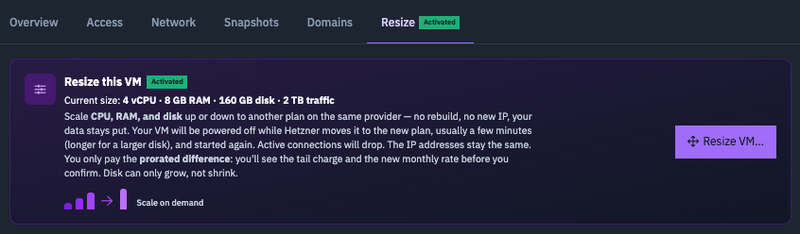
Resize removes the guess. You can start on a small, inexpensive plan, and when your app needs more, move it up to a larger one in place. The server keeps its data, its setup, and its IP address; only its size changes. This is the natural way to run a growing project: begin small to keep costs down, and scale up exactly when the need is real, not months ahead of it just in case.
How to Resize a Server
Resizing happens in the dashboard and takes just a few clicks. Open the server you want to grow, choose the resize option, and pick the larger plan you want to move it to. Confirm, and Doprax handles the rest.
The change applies after a brief restart. The server powers off for roughly a minute while it moves to the new plan, then comes back on its own with everything intact. Because of that short power-off, any active connections will drop during the switch, so it's best to resize at a quiet moment rather than during peak traffic. Once it's back, your server is running on the bigger plan, with the same data and the same address as before.
Two Things to Know First
Resize is designed to help a growing project scale up, and there are two limits worth understanding before you use it.
First, resize is upgrade-only. You can move a server to a larger plan, but not to a smaller one, so it's a tool for growing, not for shrinking back down later. Choose your upgrade with that in mind, step up to the size you actually need rather than the largest one available.
Second, you can't switch between the Standard and Turbo tiers with a resize. You can grow within the tier your server is on, but moving across tiers isn't part of resizing. If you need a different tier, that's a separate decision made when you set a server up.
Start Small and Grow With Confidence
The best part of resize is what it lets you do from day one: start lean. You no longer have to overbuy a large server to avoid a painful migration later, because the migration is now a few clicks and a one-minute restart. Begin on a small plan, keep your costs low while your project finds its feet, and when it's ready to grow, grow with it. Resize is live on every provider now, so whichever server you're running, the room to scale is already there.